
Business WiFi | Windsor & Berkshire
Business WiFi Solutions for Windsor Cafes, Hotels and Offices
Windsor IT Support sets up and manages business WiFi and guest WiFi for cafes, hotels, shops and offices in Windsor and Eton, with a branded splash page, GDPR-compliant sign-ups and guests kept apart.
Book a free IT reviewThe short answer
What is business WiFi?
Business WiFi is one managed wireless system: a network for your staff, tills and computers, plus guest WiFi for visitors kept apart from it. Our cloud-based service works with your existing WiFi equipment, adds a branded login page with your logo and terms, filters unsafe websites and caps each device's speed so card payments and calls keep working.
Setup takes less than an hour and is managed through one online portal. It suits cafes, hotels, shops and offices across Windsor, Eton, Datchet and Ascot, where visitors and guests expect WiFi.
What's included
What our business WiFi service in Windsor includes
One managed service covers the WiFi your visitors see and the network your staff rely on. We set up, monitor and look after both for you.
A separate guest network
Guest devices sit on their own VLAN, with firewall rules keeping them away from your PCs, tills and printers.
A branded login page
Guests see a splash page with your logo, terms and offers, then log in with one click, email, social media or a voucher.
Marketing opt-in that follows GDPR
The sign-up form uses an unticked consent box kept separate from your terms, and your portal records how each guest agreed.
Content filtering for guests
We block adult, illegal and malicious websites on the guest network, so families, customers and patients see a network that reflects well on you and your business.
Bandwidth per user
Each guest device gets a speed cap, so card payments and staff calls on the same line keep their share.
Visitor analytics
See footfall, dwell times and return visits in your portal, so you can plan staffing and target your offers.
Staff WiFi on one system
Staff, guest and meeting room WiFi all run from one managed system, so changes to passwords and coverage happen in one place.
Monitored access points
We monitor every access point for faults and handle portal, password and coverage changes when you need them.

Why it matters in Windsor
Keep Your Windsor Visitors Online
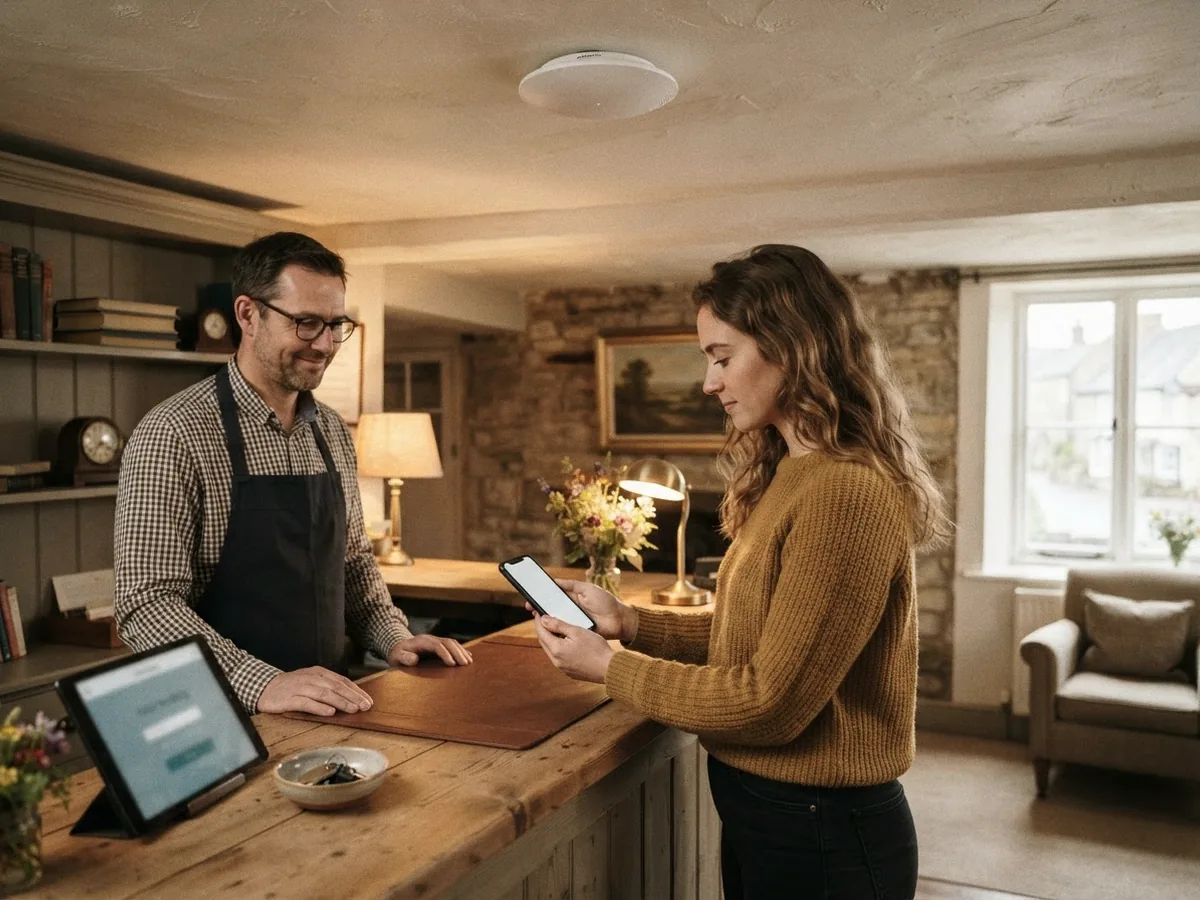
A cafe in Windsor town centre, a hotel in Eton and a shop in Ascot all need customer WiFi for different reasons. Older buildings with thick walls leave dead spots, and a password on a sign at the counter spreads well beyond your premises. We set up each network around the people who use it.
With managed business WiFi you can:
- Keep visitors well away from your tills and PCs
- See footfall and track repeat visits
- Stop one guest slowing down others
- Collect marketing sign-ups with recorded consent
- Make one call for password or portal changes
Behind the scenes
Guest WiFi Problems We Fix for Windsor Venues
Most guest WiFi trouble starts with one shared password and one router. We split the networks, fill the dead spots and give you control over who connects, then keep watching the access points.
Guests beside your tills
One shared password puts visitors' devices beside your card machines and PCs. We split the networks and lock the guest side.
WiFi drops in the back rooms
One router rarely covers the thick walls and upper floors of older Windsor buildings. We find the dead spots and add access points.
The password on a sign
A shared password spreads beyond your premises and never changes. A captive portal or voucher codes control who connects.
No record of sign-ups
Emails collected on paper or with a pre-ticked box may not be usable for marketing. Our portal stores a clear opt-in.
Getting started
How We Look After Your Business WiFi
Good WiFi should mean fewer complaints at the counter. We check your site first, quote a fixed price, set up the service and then monitor it for you.
A site check first
We look at your premises, your current WiFi equipment and how guests and staff move around the space before we recommend anything.
A written plan and quote
You get a written plan showing network segments, portal and login options, any extra access points and a fixed quote before work starts.
Setup and monitoring
We connect your portal, build your splash page, test coverage room by room and then monitor the network for faults.
Frequently asked questions
Business and Hospitality WiFi Questions
How much does business WiFi cost?
It depends on the size of your venue, how many access points you need and whether you want a branded portal with marketing tools. Most businesses pay a monthly fee for the managed service, and we quote after a site check.
Is guest WiFi safe on our business line?
Yes, when the guest network sits apart from yours. Guests go on their own VLAN behind firewall rules, so a visitor's phone cannot see your tills or PCs, and bandwidth limits stop guests using the whole line.
What is a captive portal or a splash page?
It is the page a visitor sees before the WiFi lets them online. It carries your logo, asks guests to accept your terms and can offer a marketing sign-up.
Can we collect emails under UK GDPR?
Yes, if you collect them the right way. The opt-in must be unticked by default, separate from the terms and linked to your privacy notice. We set your portal to record consent for each guest who signs up.
Do we need new WiFi equipment for guest WiFi?
Usually not. Our guest WiFi is cloud-based and works with your existing network and WiFi equipment, and setup takes less than an hour. Where thick walls or upper floors leave dead spots in a Windsor building, we measure signal room by room and add access points where coverage is weak, then monitor them so we hear about a fault before your guests complain at the counter.
Accredited IT support, independently certified.






Get in touch
Talk to Our Business WiFi Team in Windsor Today
Tell us about your venue and how many visitors connect each day, and we will recommend the right setup. Call 01753 255436, email hello@windsoritsupport.co.uk or send us a message and an engineer will get back to you.
Contact us